


8 Must-Have IPTV 4K Streaming Devices
Ever wondered why your favourite shows stutter at the most exciting moments? It’s not always the internet. Often, the problem lies with the device under your TV.
Finding the right device is crucial for a smooth home entertainment setup with UK Stream Hub. A strong device means no more buffering. You can enjoy your shows without interruptions.
Looking for the best iptv service or want to sort your iptv channels? Your device choice affects your viewing quality. A good iptv provider needs a device that can handle 4K streams. Upgrading your equipment and choosing UK Stream Hub unlocks your iptv 4k subscription’s full potential. Enjoy a top-notch viewing experience with UK Stream Hub.
Key Takeaways
-
Choosing the correct hardware is essential for smooth streaming performance on UK Stream Hub.
-
High-quality devices prevent annoying buffering and lag during playback.
-
Your choice of equipment directly impacts how you access your favourite programmes.
-
Modern hardware helps you organise and navigate your digital content with ease.
-
Investing in the right kit ensures you get the most value from your subscription.
What is IPTV 4K and Why Choose It? Home entertainment has changed a lot, moving from cables to streaming. Streaming uses your internet to bring TV content to you. A good iptv 4k service from UK Stream Hub makes watching TV smooth and beautiful.
Understanding IPTV Technology IPTV sends video as data packets over your internet. It’s different from satellite or aerial signals. It lets you watch things on demand and interact with them.
Your network needs to be strong to handle the data for high-definition media.
Advantages of 4K Streaming Choosing iptv 4k means you get more detail. Scenes look sharper, colours are brighter, and everything feels more real. It turns your living room into a cinema, if you have the right display and a good iptv subscription from UK Stream Hub.
| Resolution Type | Pixel Count | Visual Quality |
| Standard Definition | 720 x 576 | Basic |
| Full HD | 1920 x 1080 | Clear |
| 4K Ultra HD | 3840 x 2160 | Exceptional |
The Future of IPTV Services Digital TV is changing to give you more freedom. Providers are now offering custom packages. This lets you pick what you want to watch.
As internet speeds get better in the UK, streaming will become even more important. It’s set to be the future of home entertainment.
Top IPTV 4K Devices on the Market
Choosing the right device is key to enjoying your streaming setup. A good 4k iptv box can change how you watch media at home. You need something fast, easy to use, and with great visuals.
Overview of the Best Options
When looking for the best iptv service, your device is crucial. A top-notch device ensures smooth streaming without interruptions. Today’s boxes have powerful processors for handling high-quality streams.
“The future of television is not just about the content you watch, but the seamless way in which you access it across all your devices.”
Look for devices that support many apps. This means you can use your favourite platforms easily, without needing lots of remotes. Here’s what to check before buying.
| Feature | Standard Device | Premium 4K Box |
|---|---|---|
| Resolution | 1080p HD | 4K Ultra HD |
| Processor | Basic Quad-core | High-speed Octa-core |
| Connectivity | Wi-Fi Only | Wi-Fi 6 & Ethernet |
| App Support | Limited | Universal Access |
Special Features You Should Look For
Look for devices with HDR support and high refresh rates. These features enhance colours and motion on your TV. A good 4k iptv box also has a secure operating system.
Make sure your device has Ethernet ports for a stable connection. Quality hardware from a trusted iptv provider often comes with voice remotes. This makes finding what you want faster. Investing in good hardware now saves you from future hassle.
Amazon Fire TV Stick 4K
The Amazon Fire TV Stick 4K is a great choice for those who want an easy setup. It’s a 4k iptv box that fits neatly behind your TV. It’s perfect for beginners who want high-definition content without hassle.
Performance and Features
This device has a powerful processor for smooth playback of high-resolution media. The Alexa-enabled remote lets you search for content with your voice. This makes finding entertainment fast and easy.
Efficiency is at the heart of this device. It offers a stable connection for streaming. It supports modern standards for a clear visual experience. You can count on it to perform well, even when lots of people are watching.
User Experience and Interface
The interface is easy to use, making it simple to find your favourite content. Installing your preferred iptv app is quick. Once installed, you can arrange your media library as you like.
Getting to a wide range of iptv channels is easy for everyone. The menu is clean and quick, so you watch more and search less. It’s a fantastic choice for simplifying your home entertainment.
Roku Ultra 4K
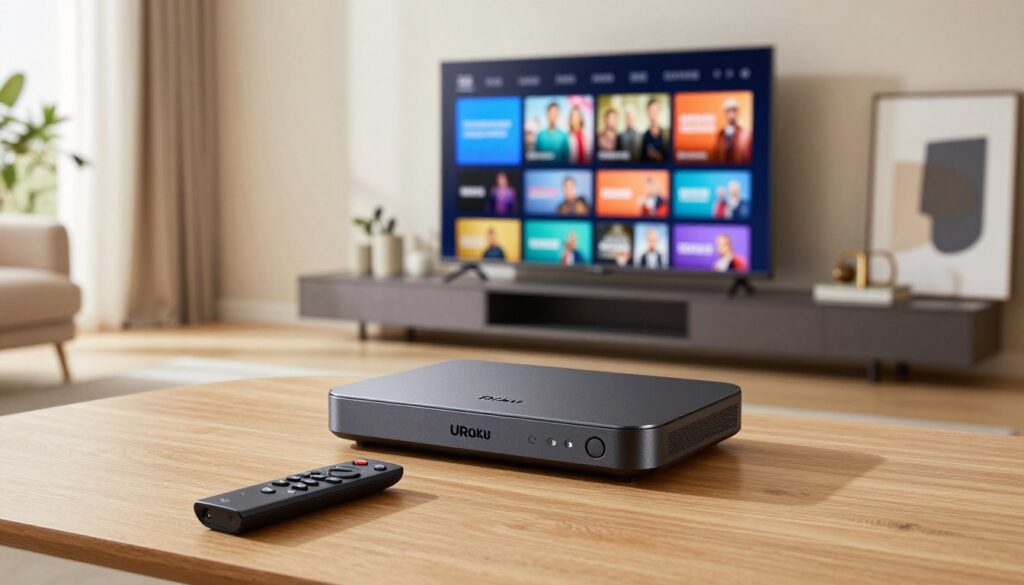
Choosing the right device for your living room can be tricky. The Roku Ultra 4K makes it easier. This dedicated box offers stable and powerful performance, often better than streaming sticks. It has better thermal management and a reliable connection for iptv streaming.
Navigating the Roku Ecosystem
The Roku interface is known for its clean and intuitive design. It’s easy to navigate, even if you’re not tech-savvy. You can customise the home screen to put your favourite apps at the top.
The robust search functionality is a standout feature. It searches across platforms to find what you want to watch. This makes iptv streaming more efficient and fun.
Key Benefits for UK Viewers
In the UK, the Roku Ultra 4K is a great choice. It supports a wide range of local content. You can easily access British catch-up services and global platforms. It handles high-quality content well, keeping your 4K visuals crisp and clear.
Here are some reasons why UK households love this device:
- Ethernet port connectivity for a solid internet connection.
- Access to a huge library of UK-specific apps and channels.
- A user-friendly remote with a headphone jack for private listening.
- Regular software updates for smooth performance.
Choosing this hardware means investing in a reliable platform that’s easy to use. It simplifies setup, so you can enjoy your favourite shows and movies without hassle.
Apple TV 4K
If you’re all in with Apple, the Apple TV 4K is a great pick for your home cinema. It has blistering processing speeds and a sleek interface. This means you can move around easily and quickly.
“Technology should be invisible, allowing you to focus entirely on the stories you love,” says a lot about this device. It offers a premium experience that values security and simplicity.
Integration with Apple Ecosystem
This device shines because of how it works with your other Apple gadgets. You can easily share iCloud photos, use your iPhone as a remote, or stream content via AirPlay with just a tap.
It also makes managing your media easy. With a reliable iptv player, it handles high-bitrate streams smoothly. This is thanks to its powerful A-series chip.
Exclusive Content Offerings
The App Store on this device offers lots of options to customise your viewing. You can download a versatile iptv app to manage your M3U playlists or connect via Xtream Codes APIs.
These apps let you arrange your favourite channels in a custom dashboard. Here are some key benefits:
- Seamless performance during high-definition playback.
- Access to exclusive Apple TV+ original programming.
- Intuitive search features that span across multiple platforms.
Whether you watch a lot or just a little, finding the right iptv app is crucial. It ensures you catch all your favourite live shows. The mix of top-notch hardware and flexible software makes it a standout choice for any home.
Nvidia Shield TV Pro
The Nvidia Shield TV Pro is the top pick for those who want the best. It’s seen as the gold standard for a premium 4k iptv box. It handles heavy tasks easily without any trouble.
Gaming and Streaming Capabilities
This device offers a smooth experience thanks to its Tegra X1+ processor. It uses AI-enhanced upscaling to make HD content look sharp. This makes it great for high-quality iptv streaming, making your favourite shows look amazing on a big screen.
Gamers will love how it works with cloud gaming services. It supports high-frame-rate playback, giving a smooth gaming experience. Whether you’re playing games or watching live sports, it performs well.
Ideal for Tech Enthusiasts
It’s perfect for those who like to play with their setup. It can act as a powerful media server, managing your local and online content. You can also add more storage or connect devices with its USB ports.
It supports many advanced audio and video formats, making it a favourite among tech fans. You can change the interface and install apps to meet your needs. It’s a versatile machine for those who want full control over their digital world.
| Feature | Nvidia Shield TV Pro | Standard Streaming Stick |
|---|---|---|
| Processor | Tegra X1+ | Basic Quad-Core |
| AI Upscaling | Yes (Advanced) | No |
| USB Ports | 2x USB 3.0 | None |
| Gaming | High Performance | Limited |
Google Chromecast with Google TV
Turn your TV into a powerful entertainment centre with the Google Chromecast with Google TV. This small device makes it easy to get to your favourite shows. It’s also a great iptv player for your home.
Setting Up and Getting Started
Setting up is quick and easy. Just plug it into your TV’s HDMI port and the power cable into a wall outlet.
After that, connect it to your Wi-Fi. Then, download your iptv player app from the Google Play Store. You can start watching right away.
Unique Features of Google TV
The Google TV interface makes finding your favourite shows easy. It organises all your subscriptions into one place. This saves you time and lets you enjoy more of what you love.
This device is more than just a streaming tool. It’s a smart home hub too. You can control lights and cameras from your sofa. It also handles high-bandwidth content well, keeping your iptv player experience smooth.
| Feature | Capability | Benefit |
|---|---|---|
| Resolution | Up to 4K HDR | Crystal clear visuals |
| Interface | Google TV OS | Personalised recommendations |
| Connectivity | Dual-band Wi-Fi | Stable streaming performance |
| Smart Home | Google Home Integration | Centralised device control |
Smart TVs with Integrated IPTV 4K
Choosing between a streaming box and your TV’s interface is a big decision for UK viewers. Modern TVs are very smart, but they might not match a dedicated device’s performance. Think about if your current setup is fast and compatible enough for you.
Leading Brands to Consider
Big names like Samsung, LG, and Sony have changed how we watch content. They use special operating systems to stream iptv channels right on your TV. But, the quality can change a lot based on the TV model and software version.
“The best technology is the one that disappears into the background, allowing you to focus entirely on the story being told.”
Benefits of Built-in IPTV Solutions
The main plus of using your TV’s built-in software is simplicity. You don’t have to deal with extra cables or a second remote. Everything is all in one, making it easy for casual viewers.
But, there are downsides. You might find your TV can’t handle your favourite iptv app. Some TVs can’t play certain video types or have fewer apps than devices. If your TV is slow or can’t play content, an external streaming box might be a better choice.
- Convenience: Fewer devices and cables to manage.
- Integration: Unified control via your standard TV remote.
- Performance: Potential limitations with older smart TV processors.
- Compatibility: Check if your specific model supports the latest streaming standards.
Comparing Cost and Value of IPTV 4K Devices
Choosing the right device for your IPTV 4K needs is key. You must weigh the cost against the quality you want. A streaming stick or a set-top box? Your choice affects how long your device stays up-to-date.
Budget-Friendly Options
For those on a tight budget, streaming sticks are a great choice. They offer a simple setup without breaking the bank. They’re small, easy to hide, and play high-definition content well.
These sticks are cheap but might not be as fast as pricier models. You might see delays in menus or app switching. Still, they’re the top pick for saving money in the UK.
Top-of-the-Line Choices
For those who love the latest tech, premium set-top boxes are the way to go. They have faster processors and more storage. This means a smoother IPTV 4K experience.
Spending more on a top device means it lasts longer. You get faster menus and better audio support. It’s worth it for daily use.
| Device Category | Initial Cost | Performance | Best For |
|---|---|---|---|
| Streaming Sticks | Low | Standard | Casual Viewers |
| Set-Top Boxes | High | Excellent | Power Users |
| Smart TV Apps | Included | Variable | Minimalists |
Tips for Optimising Your IPTV 4K Experience
Getting a perfect picture is more than just having top-notch gear. Your home network is key for your entertainment. So, making sure your connection is stable is crucial for smooth viewing.
Internet Speed and Quality
A fast and reliable broadband connection is essential for HD viewing. Always use a wired Ethernet connection to your device to avoid interference. This simple action helps your best iptv service stream smoothly without buffering.
Check your download speeds often to make sure your provider can handle 4K content. If quality drops, think about upgrading your router or using a mesh Wi-Fi system. Good bandwidth is the key to uninterrupted iptv streaming.
Best Practices for Setup and Usage
Setting up your hardware right can greatly improve daily use. Always update your device’s firmware to stay current with streaming tech. A clean iptv setup means removing unused apps that use data or power.
Organise your interface so your favourite channels and apps are easy to find. By managing your cache and keeping software up-to-date, you keep your iptv streaming at its best. Enjoy your favourite shows knowing your system is optimised for the best experience.